Auto Inject Opt-Out Links
Stay compliant and save time—drop
[[notifiedby:unsubscribe]] in your email and we handle the rest.
Dealing with opt-outs is a legal and deliverability must-have. With NotifiedBy, you don't need to build or manage opt-out logic yourself:
-
Automatic compliance.
Add[[notifiedby:unsubscribe]]to your email or your master template and we generate a working, per-recipient unsubscribe link—no opt-out code of your own. -
You choose where it goes.
The link lands exactly where you put the placeholder, styled by your own template. -
One-click unsubscribe.
We add the RFC 8058List-Unsubscribeheaders, so Gmail and Outlook show their own unsubscribe button too. -
Instant suppression.
Once someone unsubscribes, we block further emails—no risk of accidental future sends. -
Webhook integration.
Supply a webhook URL and we'll notify your app of every unsubscribe, so you can sync your own user records.
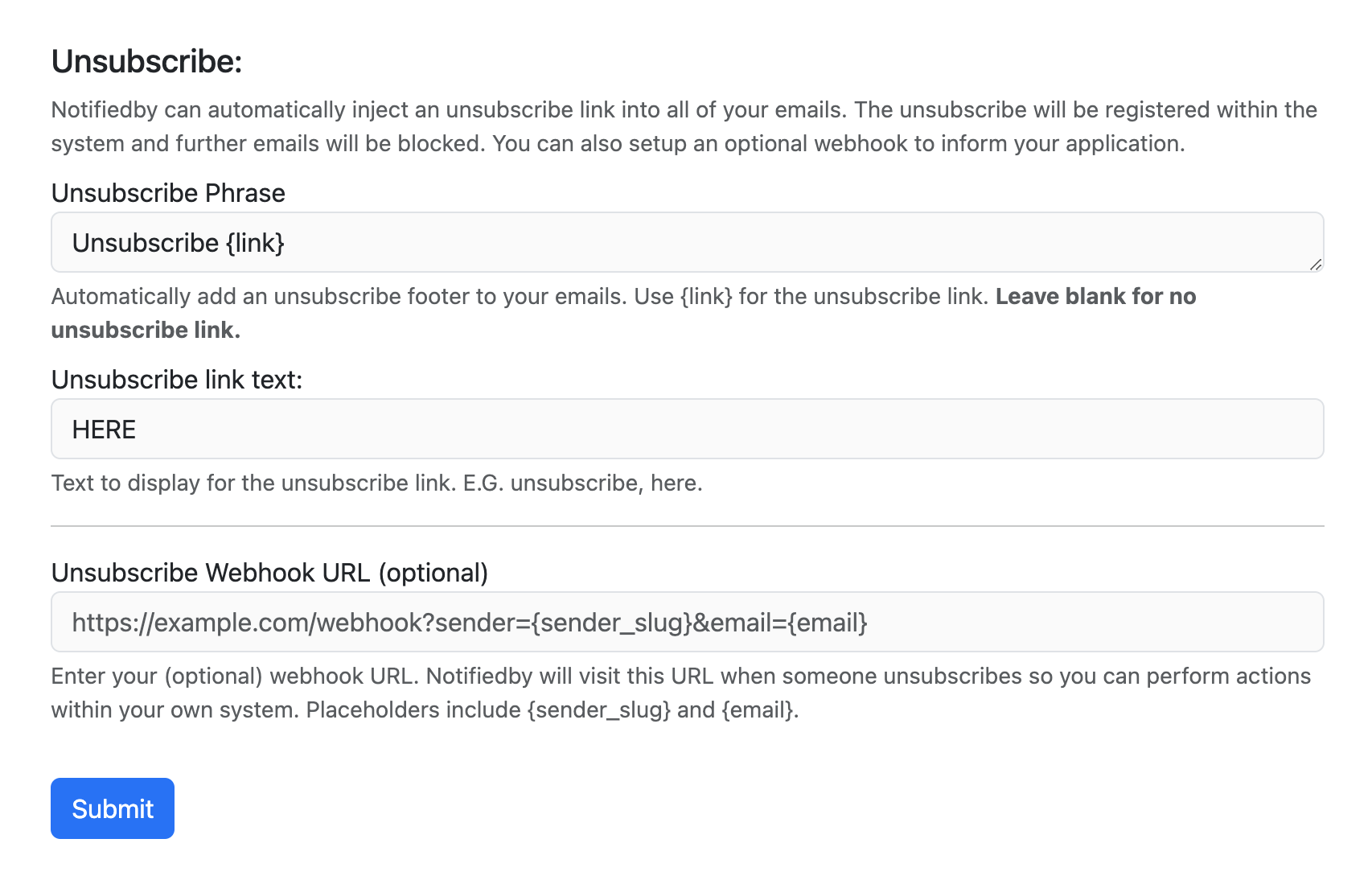
A clear unsubscribe option, sitting wherever your design calls for it.
How it works
-
Put
[[notifiedby:unsubscribe]]wherever you want the link—in an email body you send through the API, in a flow template, or once in your master email template so it appears on everything. - We swap it for a real link at send time, unique to that recipient, and add the one-click unsubscribe headers.
- Add an optional webhook URL in your Sender Settings to be told about every opt-out.
-
Recipient clicks unsubscribe:
– They're instantly suppressed from future sends
– We fire your webhook (if set), so you can update your own database. - No further emails are sent to unsubscribed addresses via NotifiedBy—guaranteed.
Frequently asked
-
Where does the unsubscribe link appear?
Wherever you put the[[notifiedby:unsubscribe]]placeholder—it inherits the styling of the surrounding template. Emails without the placeholder are left untouched. -
What happens when a user unsubscribes?
We blacklist that address immediately. No more emails are delivered to them from your account. -
How does the webhook help?
We POST every unsubscribe event to your webhook URL, so you can keep your own user tables up to date. -
What if I email unsubscribed users by mistake?
No worries—NotifiedBy blocks those sends automatically, protecting both you and the recipient.
Stay compliant with zero code—automatically
Hassle-free unsubscribe management and always-on compliance—built right in.